
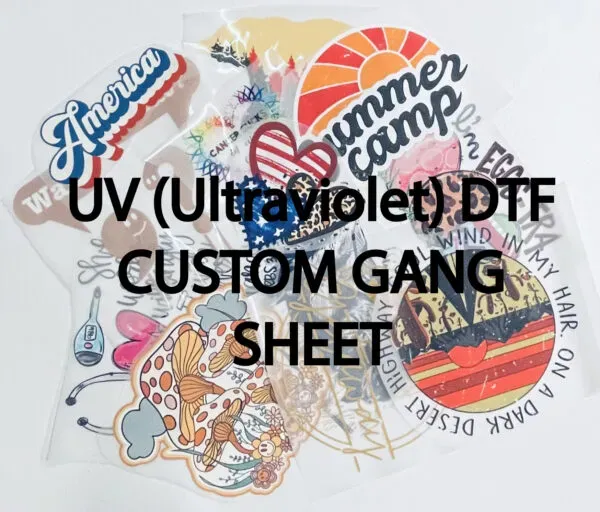
In the realm of custom printing, UV DTF Gangheet technology stands out as a game-changer, revolutionizing the landscape of print production. This cutting-edge method seamlessly combines UV curing and Direct to Film techniques, offering the ability to achieve vibrant, high-quality prints on diverse substrates including textiles and plastics. For both businesses and creative enthusiasts, understanding the intricacies of UV DTF printing is essential for producing stunning results that can capture attention and elevate brand identity. This guide delves into the best practices, including optimal print settings and thorough substrate preparation, to help you master UV DTF Gangheet for flawless custom prints. Embrace this innovative technology and see how it can transform your printing capabilities.
Exploring the vibrant world of UV DTF printing reveals a highly versatile and effective printing technique that caters to a wide range of creative needs. This innovative process, often referred to as Direct to Film printing, utilizes UV light to cure specialized inks, allowing for immediate handling of prints with exceptional durability. Whether you’re a business seeking to expand your product offerings or an artist wanting to create stunning custom prints, understanding the nuances of this technique—including ink selection and print settings—can significantly enhance your output quality. Additionally, effective substrate preparation lays the groundwork for successful printing, ensuring that every detail pops with color. By harnessing the power of UV DTF Gangheet technology, you can unlock endless possibilities for your custom print projects.
Maximizing Your UV DTF Printing Efficiency
To enhance efficiency in your UV DTF printing process, begin by optimizing your workspace. A clean and organized setup allows for faster workflow and reduces the likelihood of errors during printing. Arrange all your supplies—inks, substrates, and tools—within easy reach to minimize downtime. Additionally, consider streamlining your digital design process; using pre-set templates for commonly used designs can save considerable production time.
Utilizing software that integrates with your printing system can greatly increase efficiency. Look for programs specifically designed for UV DTF printing that allow for automatic adjustments according to the substrate type and design complexity. These tools can help automate print settings, including ink density and print speed, and save you hours of manual calibration.
Essential Substrate Preparation for UV DTF
Proper substrate preparation is critical for achieving high-quality UV DTF prints. Start with cleaning the substrates thoroughly to remove any contaminants that could interfere with ink adhesion. For non-porous materials, such as plastic or metal, a light sanding can create a better surface grip for the ink, promoting superior adhesion and reducing the risk of peeling or fading.
Consider using primers for specific substrates that require enhanced adhesion. Primers can create an optimal surface for ink placement, leading to more vibrant colors and detailed designs. Ensure that the primer is compatible with your ink type and follows the manufacturer’s instructions for application.
Custom Ink Selection for Vibrant Prints
When selecting inks for UV DTF printing, opt for high-quality options that are specifically designed for this technology. This ensures not only vibrant color output but also improved durability and adhesion to various substrates. Look for UV inks that contain pigments instead of dyes, as pigments provide better UV resistance and opacity.
Additionally, take into account the compatibility of your inks with your printer model. Not all inks work seamlessly with every printer, so it’s crucial to consult your printer’s manual or manufacturer’s guidelines to avoid potential damage and ensure a smooth printing process.
Fine-Tuning Print Settings for Optimal Quality
Getting the print settings right plays a vital role in the quality of your UV DTF prints. Start by setting the DPI (Dots Per Inch) to a range that balances quality and speed, typically between 720 to 1440 DPI. Higher DPI settings provide sharper images, but they can significantly slow down production. Experimenting with different resolutions can help you find the sweet spot for your specific projects.
Moreover, adjusting print speed and ink density can yield significant improvements in print quality. Slower print speeds generally lead to better results as the ink has more time to settle into the substrate. Adjust ink density settings to find a balance that provides enough ink coverage without causing issues like excess bleed or smudging.
Troubleshooting Print Quality Issues
Even experienced printers may encounter common issues during the printing process. Ink smudging is a frequent concern, often attributed to insufficient curing of the prints. Ensure you are following the curing guidelines recommended by the ink manufacturer and allow adequate time for the ink to cure fully before handling the prints.
If you’re experiencing uneven color printing, it may be a sign of clogged printheads or inconsistent ink supply. Regularly cleaning the printheads as part of your maintenance routine can help alleviate these issues. Additionally, make sure that your ink cartridges are properly filled and functioning to maintain consistent output.
Networking and Continuous Learning in UV DTF Printing
To excel in UV DTF printing, it’s important to engage with the broader community of printing professionals. Participating in online forums, attending workshops, and joining local print associations can provide you with valuable insights into new techniques and technologies. Networking allows for knowledge exchange about the latest trends in UV printing, which can elevate your printing skills.
Furthermore, continuous learning is vital in keeping up with the rapidly evolving print industry. Enroll in online courses that focus specifically on UV DTF technology, or seek mentorship from seasoned professionals. Engaging with educational resources expands your understanding and equips you with fresh ideas to implement in your printing practice.
Frequently Asked Questions
What is UV DTF Gangheet and how does it improve custom printing?
UV DTF Gangheet refers to an advanced Direct to Film printing technique that combines UV curing with traditional DTF methods. This technology allows for vibrant, high-quality custom prints on various substrates, enhancing durability and color vibrancy compared to standard printing methods.
How can substrate preparation affect the quality of UV DTF Gangheet prints?
Proper substrate preparation is crucial for achieving high-quality UV DTF Gangheet prints. Cleaning the surface to eliminate dust and grease, and using treatments like sanding or priming can significantly improve ink adhesion and overall print quality.
What print settings should I use for optimal UV DTF Gangheet results?
For optimal results with UV DTF Gangheet, set your DPI between 720 and 1440. Adjust print speeds and ink densities to balance detail and production efficiency, as slower speeds typically yield better print quality.
How important is ink selection for UV DTF Gangheet printing?
Choosing the right ink is vital for successful UV DTF Gangheet printing. Ensure the ink is compatible with your printer and specifically formulated for UV DTF applications to guarantee strong adhesion and vibrant color output.
What are common troubleshooting steps for UV DTF Gangheet printing issues?
Common issues like ink smudging or uneven color printing can be addressed by ensuring sufficient curing times, regular printhead cleaning, and maintaining appropriate ink supply levels to ensure consistency and quality in UV DTF Gangheet prints.
Can I use UV DTF Gangheet for various substrates?
Yes, UV DTF Gangheet is highly versatile and can be used on a wide range of substrates including textiles, wood, and plastics, making it an excellent choice for creating unique custom prints tailored to different projects.
| Key Points | Details |
|---|---|
| Understanding UV DTF Technology | Combines UV curing with DTF techniques, allows for vibrant prints on various materials. |
| Advantages of UV DTF Printing | Higher durability, versatile substrates, and immediate curing. |
| Preparation for Printing | Ensure surface treatment and regular printer calibration for optimal results. |
| Choosing the Right Ink | Select high-quality UV ink that is compatible with your printer. |
| Optimizing Print Settings | Adjust DPI, print speed, and density for quality output. |
| Post-Printing Techniques | Proper curing and protective coatings enhance durability. |
| Troubleshooting Common Issues | Address common problems like ink smudging and uneven color. |
| Expert Tips | Network with professionals and experiment with various techniques. |
Summary
UV DTF Gangheet is an innovative printing technology that outshines traditional methods by offering vibrant, durable prints on a wide range of substrates. This guide has provided critical insights into mastering UV DTF Gangheet, encompassing everything from preparation and ink selection to troubleshooting common printing issues. By implementing these expert tips and techniques, you can significantly enhance the quality of your custom prints, ensuring they meet market demands and exceed customer expectations. Embrace the possibilities of UV DTF Gangheet to elevate your printing projects to new heights.